How to open and analyse tachograph DDD files
A .DDD file is the download of a driver card or of the vehicle unit. Double-clicking will not open it: it is a signed binary file that needs a program to read it. Here is what it contains and how to turn it into activities, infringements and documents for an inspection.
What is inside a DDD file
Driver card
The driver’s activities day by day (driving, other work, availability, rest), the vehicles used with their kilometres, the countries at the start and end of each day, events and inspections. A second-generation card holds about 56 days of activity, a first-generation card about 28: after that the oldest days are overwritten.
Vehicle unit
The activities of every driver who drove the vehicle, driving without a card, speed, speeding, events and faults, calibrations and technical data. The vehicle unit keeps at least one year of data.
The format is laid down in the EU tachograph regulations and is the same in Switzerland. Only the name changes: depending on the download key the file ends in .DDD, .ESM, .V1B, .C1B, .V2B, .C2B, .TGD, .DTG or .DTC. TachoGest reads them all.
Opening them with TachoGest: three ways
From the card
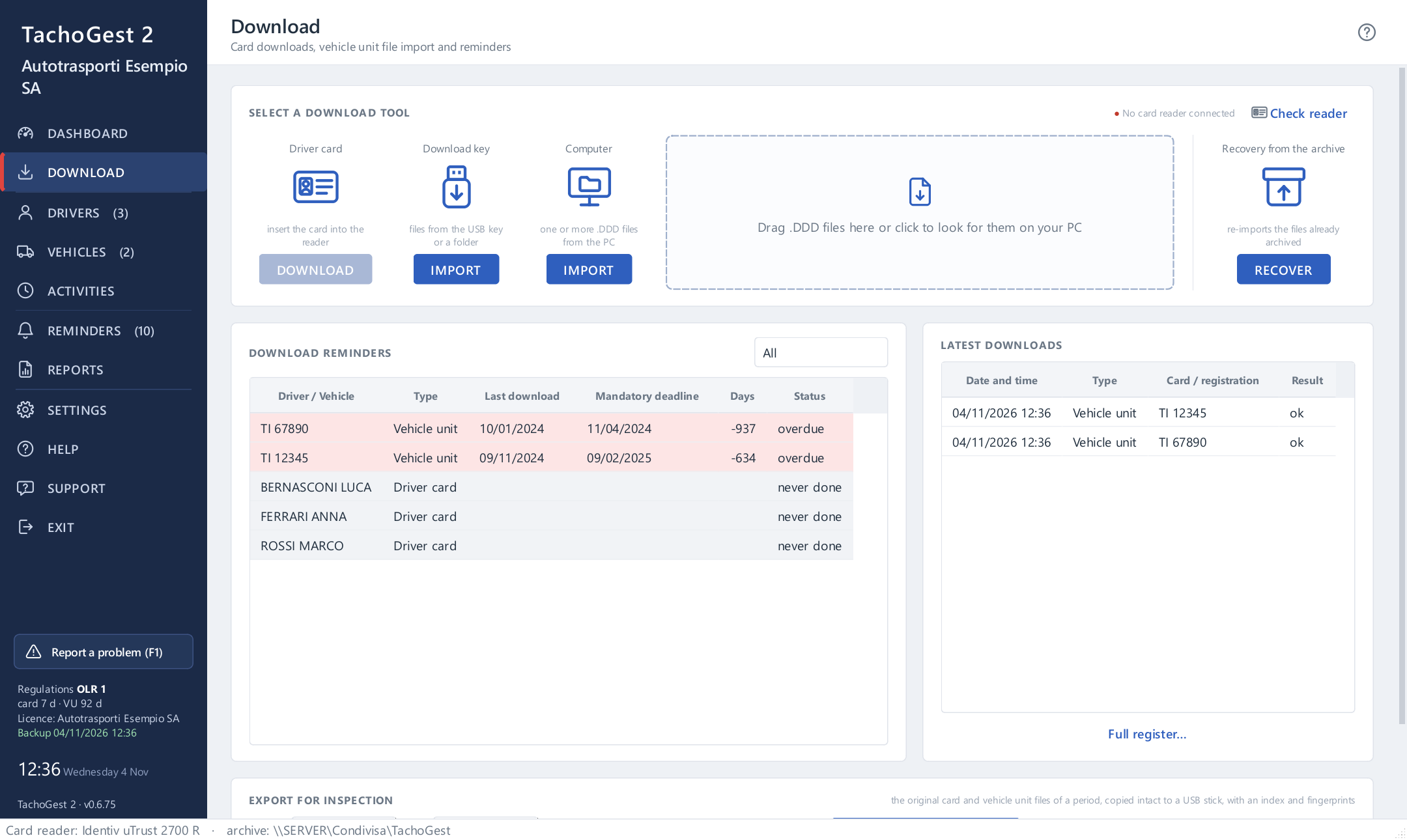
Insert the driver card into a USB smart card reader: TachoGest reads it, saves the original file and assigns it to the driver.
From the download key
Plug the key you used to download the vehicle into the PC: TachoGest recognises it and offers to import only the downloads it does not have yet.
From a folder or an email
Drag the .DDD files into the window, even a whole folder: TachoGest works out the file type, the driver and the vehicle on its own.
From the file to the driver’s day
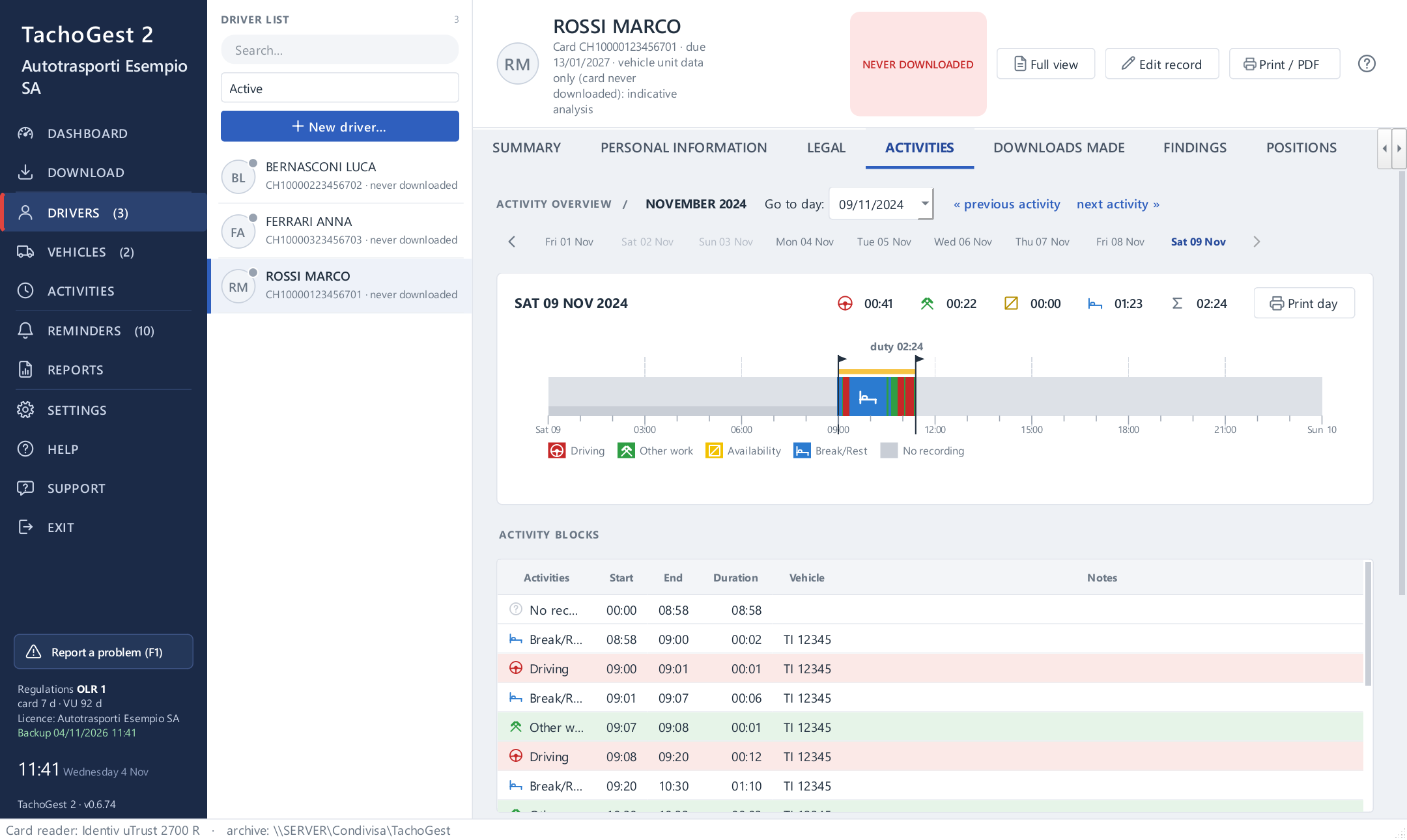
Every day becomes a coloured timeline with driving, other work, availability and rest. The rules engine checks breaks, daily, weekly and fortnightly driving, rest periods and working time; every finding states the day, the measured value and the limit.
- Swiss rules (OLR 1 and 2) or EU rules (Reg. (EC) 561/2006), depending on the company’s country
- Classified as minor, serious or very serious, with scoring over the last 12 months
- Days not covered are highlighted
Original files kept intact
TachoGest keeps the file exactly as it comes out of the tachograph, digital signatures included, next to the processed data, and records its SHA-256 fingerprint. If an authority asks for the data, you hand over the original; the download log shows when it was read.
- First and second generation tachographs, Smart Tachograph included
- A log of every download performed
- In Switzerland the data must be kept for three years
A sample report
A driver’s weekly record as TachoGest prints it: activities day by day, working time, rest periods and the checks with what is left. Invented data.
Frequently asked questions about DDD files
Can I open a DDD file with Excel or Notepad?
No. It is a binary file with digital signatures: without a program to decode it you only see meaningless characters. TachoGest reads it and can then export activities, infringements and due dates to Excel as well.
Is the file changed when I open it?
No. TachoGest works on a copy of the data and keeps the original intact, with its signatures and SHA-256 fingerprint: that is the file you hand over at an inspection.
How often must the data be downloaded?
In Switzerland the driver card must be downloaded every week (art. 16a OLR 1); in the European Union at least every 28 days, and the vehicle unit at least every 90 days (Reg. (EU) 581/2010). TachoGest counts the days per driver and vehicle and flags anyone who is late; the details are on the Regulations page.
Do I need a special card reader?
For the card, any USB smart card reader that supports PC/SC will do; for the vehicle, the download key you already use. If you do not have a reader, we can supply one already tested.
Can I try it with my own files?
Yes: the trial lasts 30 days, has every feature and works on your real files on your own PC, for up to 3 drivers and unlimited vehicles. No credit card needed.
Try it on your own data, free for 30 days
Every feature is available during the trial. The guided installation takes just a few minutes and you can do it yourself. After that the licence is paid once: no annual fee.